Looking for more Anime Showdown codes? Here is the latest list of codes you can try to claim free Coins, Gems, and other in-game rewards. Be sure to redeem them as soon as possible, since codes can expire or change without notice
What Is Anime Showdown?
Looking for new Anime Showdown codes to earn free Coins and other rewards? Anime Showdown is a fast-paced Roblox fighting game where the main focus is competitive battles rather than exploration. Players can take on opponents in intense matches inspired by popular anime characters and abilities. To help you get started and stay competitive, we’ve collected the latest working Anime Showdown codes so you can claim free rewards and improve your gameplay.
✓ Verified All New Anime Showdown Codes
- !redeem ROBLOXSERVERSAREAWESOME: 1,000 Coins
- !redeem 6MILVISITS: 2,650 Coins
- !redeem 4MILVISITS: 650 coins
 Expired Codes Anime Showdown Codes
- !redeem 20K
- !redeem MERRYCHRISTMAS
- !redeem BIRTHDAYPRESENT
- !redeem EarlyAccessReward
- !redeem PIXELBOUNDISCOOL
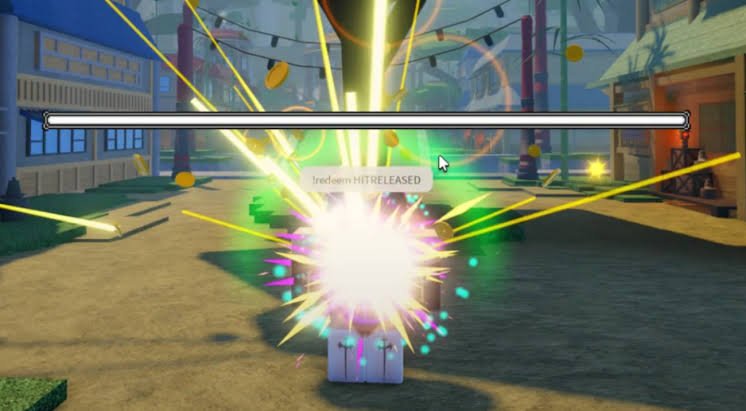
- !redeem HITRELEASED
- !redeem FREECOLOSSALCHEST
- !redeem PATCHMOVED2NEXTWEEK
While you’re here, explore more Roblox experiences and freebies with our Roblox Game Codes List. Anime fans can also check out our Anime Defenders Codes for useful rewards and our Anime Fruit Simulator Codes guide for more free items. You can also browse our Anime Royale Codes and Anime Saga Codes guides to discover even more anime-inspired Roblox games.
How to Redeem Codes for Anime Showdown
Redeeming Anime Showdown codes is quick and straightforward. Follow these steps to claim your rewards:
- Open Anime Showdown on Roblox.
- Click the text bubble in the top-left corner.
- Enter a working code in the chat box.
- Press Enter or submit the code to receive your rewards.

Troubleshooting to fix Anime Showdown not working
If you’re still unable to redeem a code after trying the steps above, wait for the next game update or check whether the developer has disabled the code. We also recommend copying and pasting the code directly to avoid typing mistakes.
Case-sensitive code: The code is case senesetive so you can enter the correct code or simply copy and paste the code to resolve the problem.
Level Requirement: Some codes are redeem of youre completed the specified level, so check it out the game rules.
Expired code: If you’ve entered an expired code, then you cannot redeem it.
Internet Connection: Sometimes the code isn’t redeemed due to the failure of the internet connection, so check the internet connection or wifi that you have connected to and restart the game.
These troubleshooting steps help you redeem your code.